
Budgely
Budget and expense tracker
Know how much you can still spend.
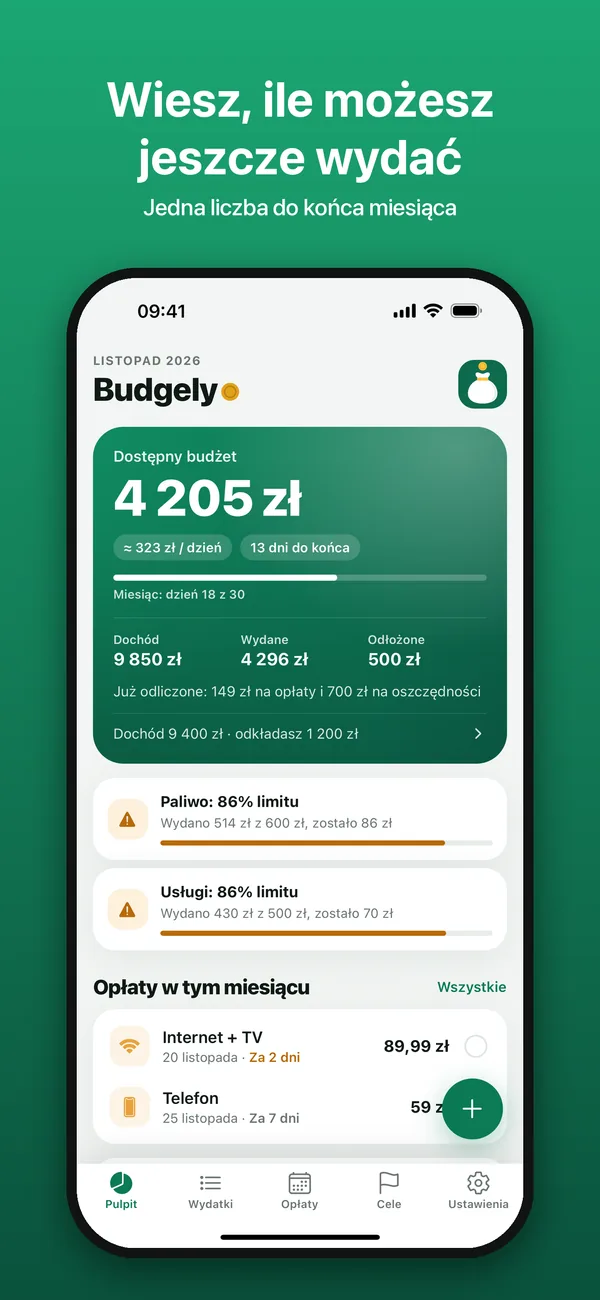
Enter your income and how much you want to save. Budgely subtracts the bills still to come and shows what you can spend, plus a daily limit until the end of the month.
What it does
A simple budget that does the math for you.
Budgely speaks 8 languages and always follows your phone’s language. Keep your budget in dollars, euros, pounds or any of 23 other currencies.
-
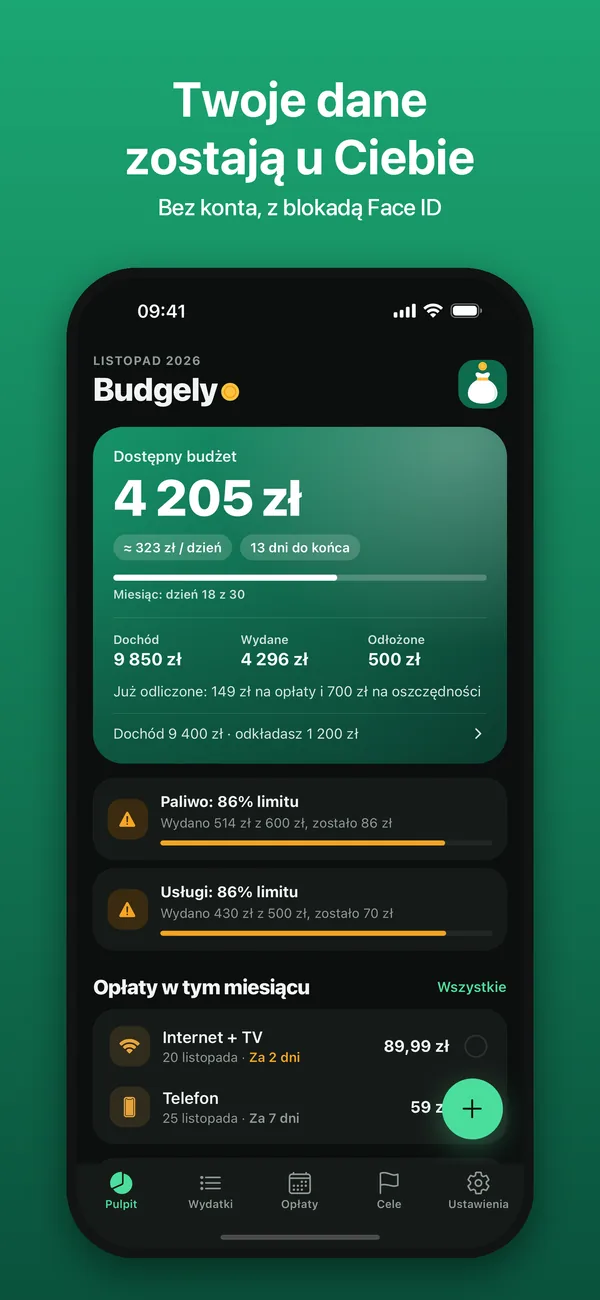
One number
“Available budget” and an amount for every day until the end of the month. The forecast shows what will be left at your current pace, and a counter shows how many days you’ve gone without spending.
-
Can I afford it?
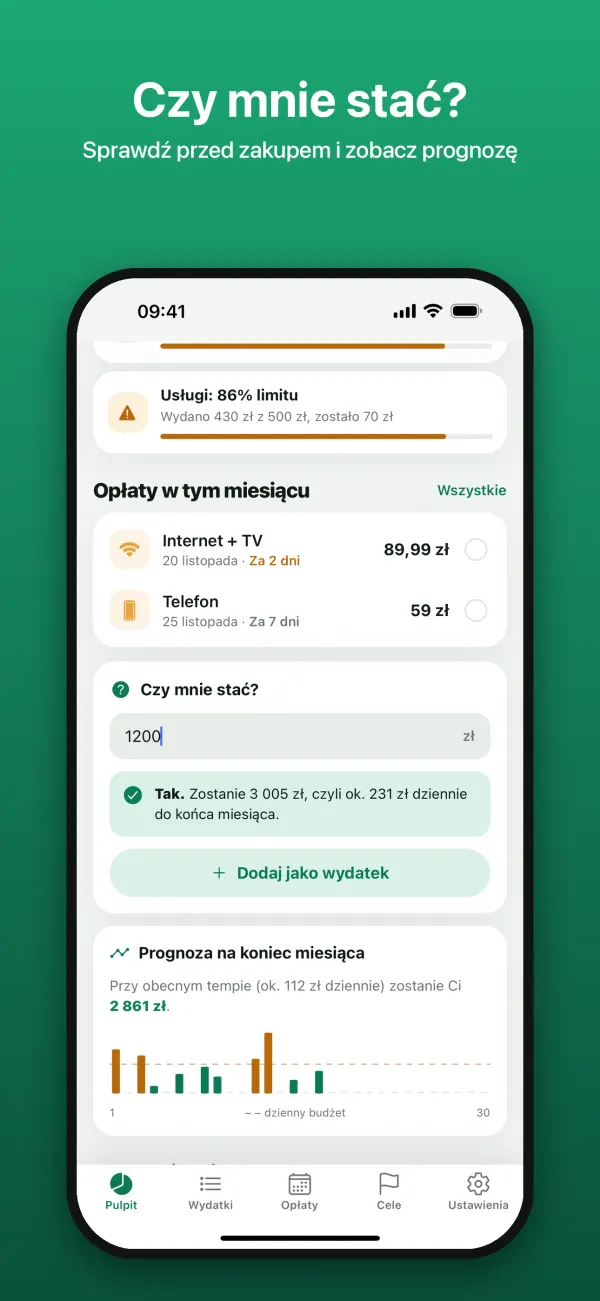
Enter an amount to see whether the purchase fits your budget and how much will be left for each day.
-
Expenses in seconds
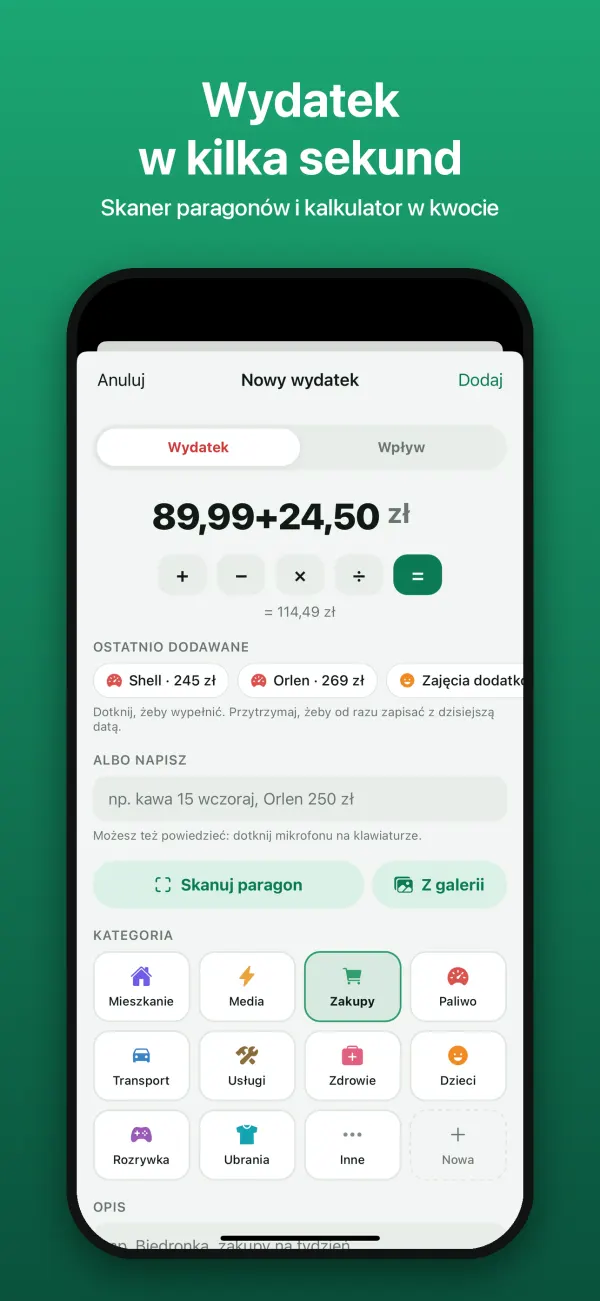
A receipt scanner, a calculator in the amount field, or a single sentence, typed or spoken: “coffee 15 yesterday”. The category is picked for you, and every change can be undone.
-
Bills under control
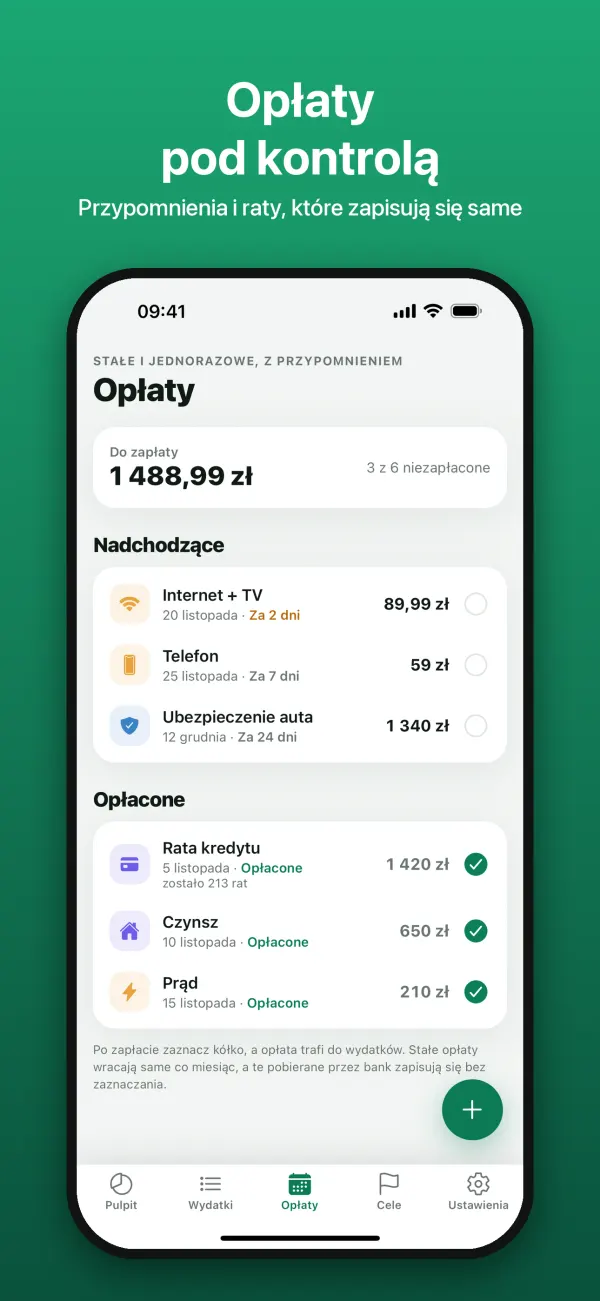
Rent, electricity and loan payments with reminders and a “Paid” button right in the notification. Automatic payments record themselves, and for electricity or gas you just enter what this month’s bill came to.
-
Several incomes
Salary, side gig, rent – each with its own payday. The next one shows on the dashboard, and your month can start on payday.
-
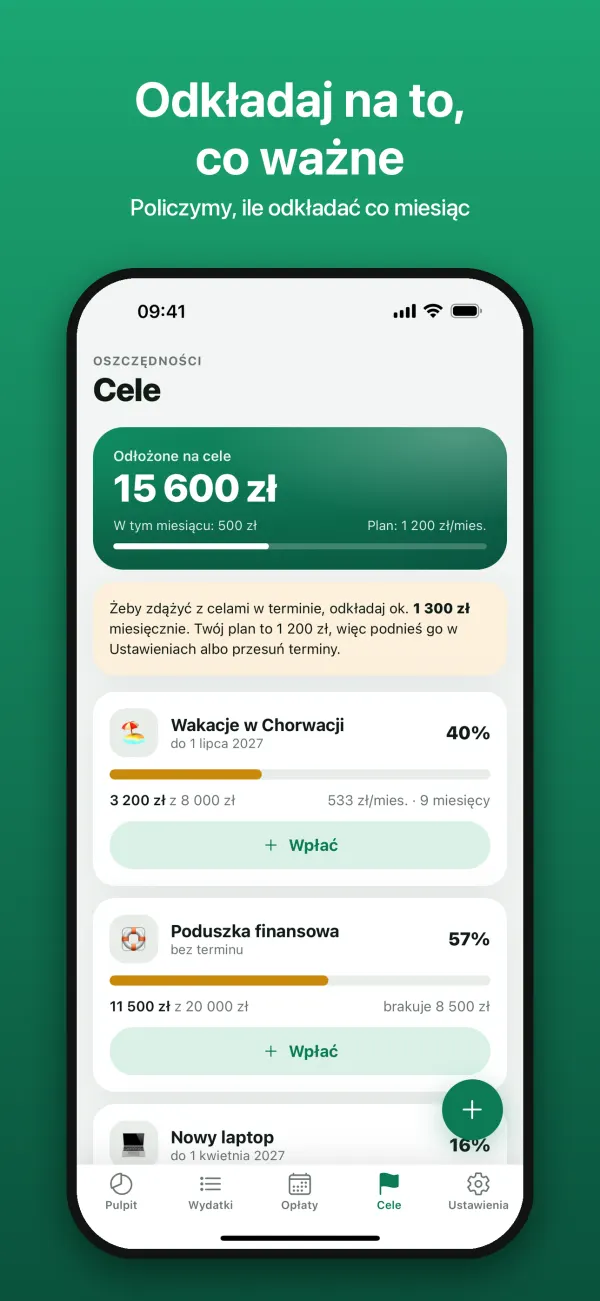
Goals and savings
Goals with a deadline and a hint on how much to set aside each month. Money left over at the end of the month can stay, roll over to the next one or go toward a goal.
-
Category limits
Entertainment, eating out, fuel – set a limit and the app warns you at 80% and when you go over.
-
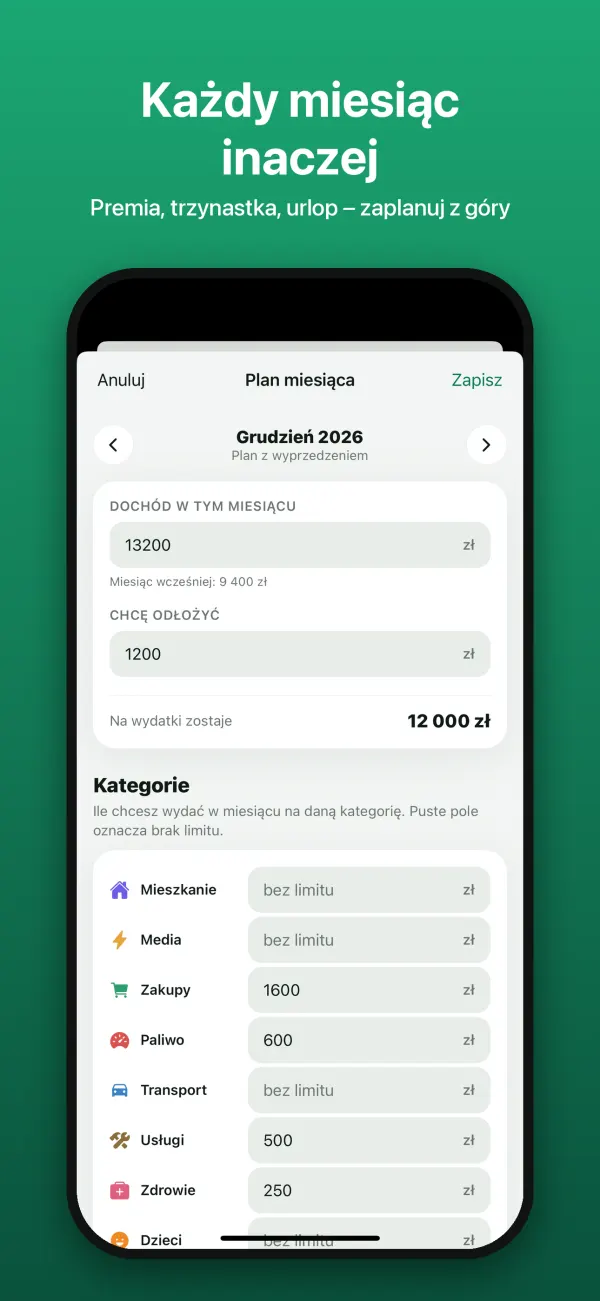
A plan for every month
A bonus, a tax refund, a vacation? Plan next month ahead of time, with limits for the categories you choose.
-
Loans
Who owes you money and who you owe – with a reminder when repayment is due.
-
Everything at hand
Looking for an expense from six months ago? Type “Starbucks” or “250”. The Home Screen and Lock Screen widget opens a new expense with one tap.
-
Shared budget Plus
One budget for the whole household through iCloud: expenses, bills and goals on every family member’s phone. Each entry shows who added it.
-
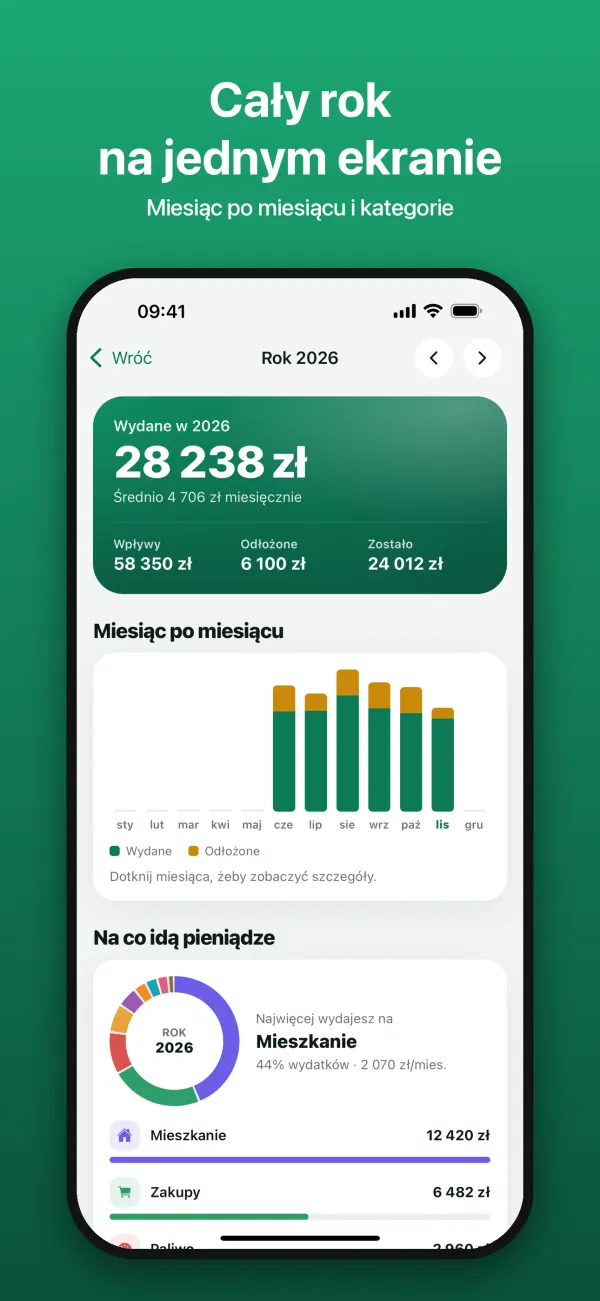
Your year and reports
A year summary month by month and by category, plus monthly and yearly PDF reports with Budgely Plus.
See it in action
Everything on one screen.
Budgely Plus
Everything you need to budget is free.
The free version shows small, clearly labeled ads. Plus removes them and adds:
- No ads – no ads in Expenses or in the year summary.
- Unlimited receipt scanning – 10 scans a month are free.
- Bills from a photo – snap an electricity or internet bill, and the name, amount and due date fill in by themselves.
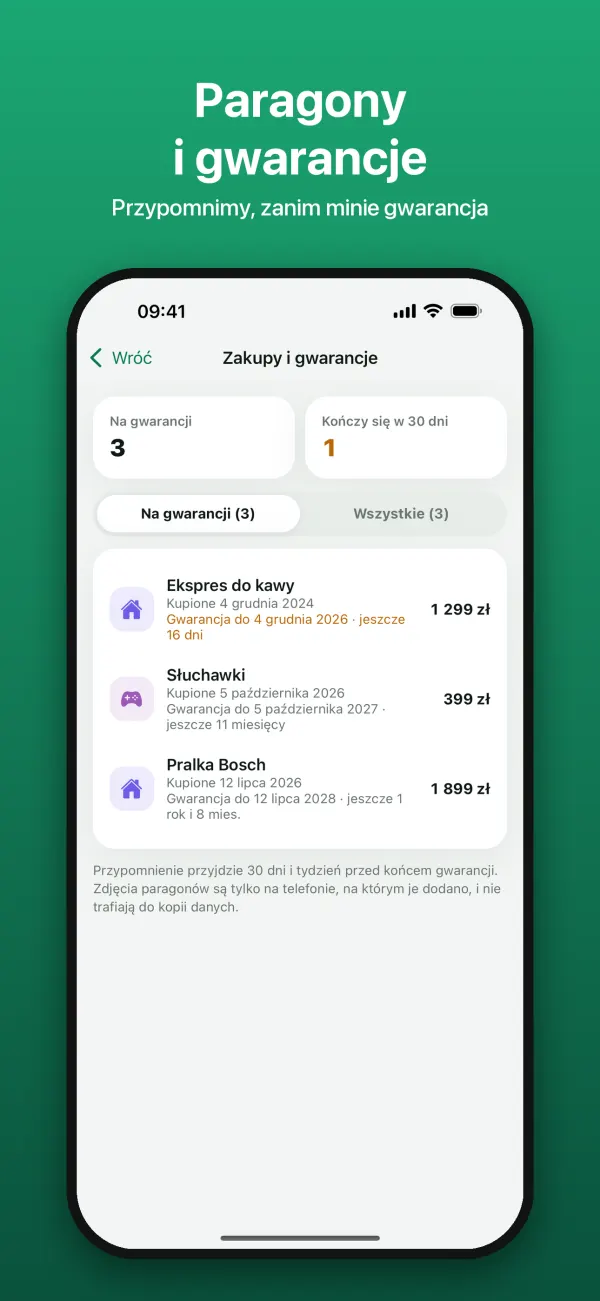
- Receipts and warranties – a photo of the receipt with the expense, a copy in your iCloud and a reminder before the warranty runs out.
- Shared household budget – family members join for free and get Plus in it too.
- iCloud sync – the same data on iPhone and iPad.
- PDF reports – for the month and the whole year: summary, categories, bills and every entry.
- Export to Excel – all entries in a CSV file.
- Bank import – your account history from a CSV file downloaded from your bank’s website.
- Monthly
- Yearly7 days free
- Lifetimeone-time purchase, no subscription
Prices in your local currency are shown in the App Store. One person pays: people invited to a shared budget join for free and get Plus in it too. The subscription renews automatically unless you cancel it at least 24 hours before the end of the current period. Manage it in iPhone Settings → your name → Subscriptions.
Privacy
Your data stays with you.
Budgely has no accounts and no server of its own. We don’t connect to your bank and never ask for passwords.
- On your phoneExpenses, bills and goals are stored on your iPhone. Lock the app with Face ID, Touch ID or a passcode.
- In your iCloudBackup, sync and the shared budget work through your own iCloud account. We can’t see that data.
- Ads without trackingAds in the free version aren’t personalized – the app doesn’t track you across other apps and websites.
- Receipts stay on your phoneThe scanner reads receipts on the device and never sends them anywhere.
Help and contact
Something not working, or missing?
Write to us. Every piece of feedback helps make the app better.
Budgely is published by MTAPP Maciej Tokarzewski.